

You only pay when you win. When Chargeback Shield wins a dispute for you, it keeps 18% of the recovered amount (10% on Business). That fee is added to your regular monthly statement, and it is never pulled from your wallet or your payout. If you lose a case, you pay nothing. There is no monthly subscription, and letting a small dispute go is always free.
/security/disputes). The first time you open it, before any dispute has come in, it introduces itself: what it does, what it costs, and where to configure it.
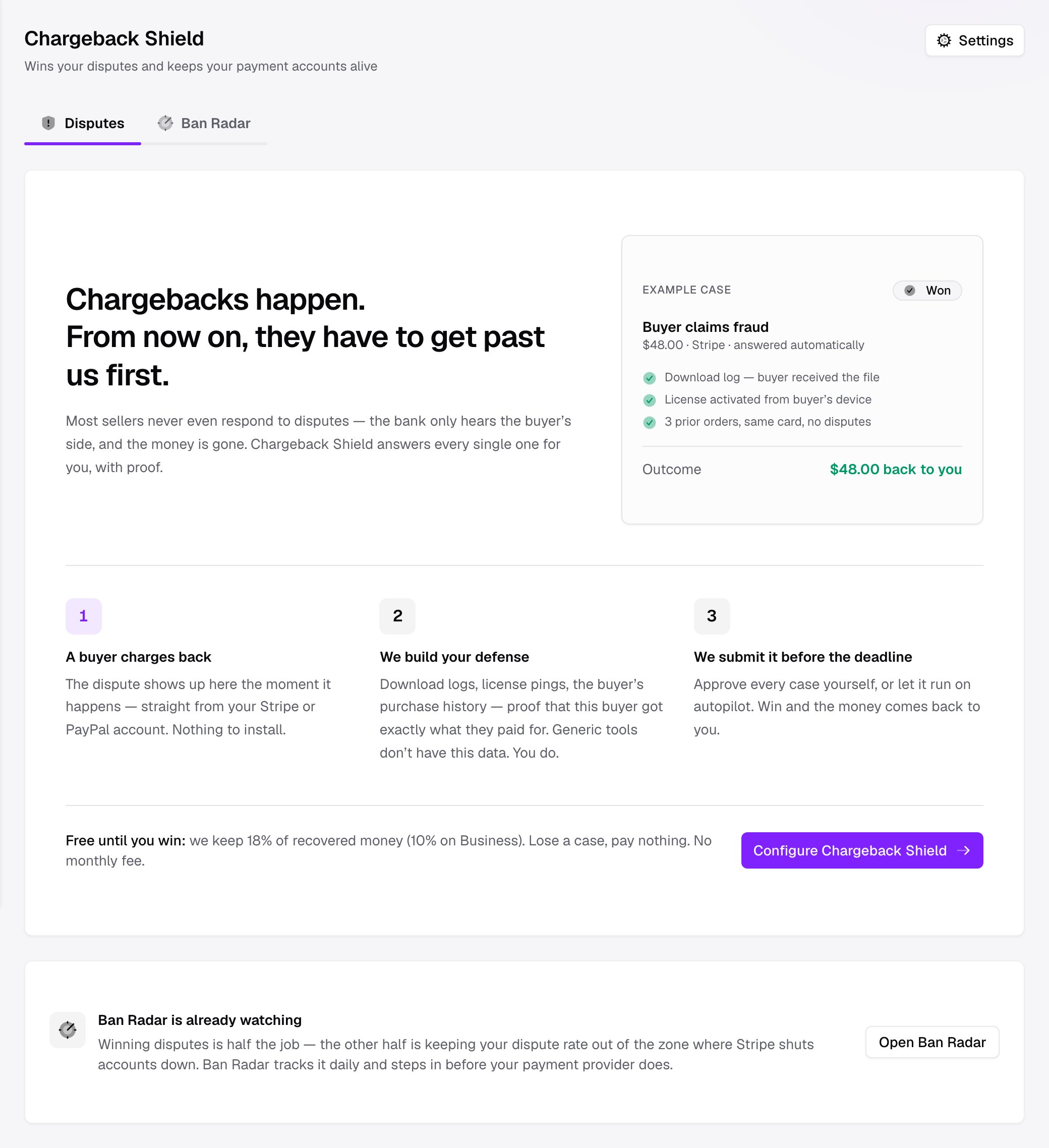
How it works
A chargeback (also called a dispute) is filed against the gateway that processed the payment. Stripe disputes live in Stripe, PayPal disputes live in PayPal. Shoppex receives the notification, surfaces it here, and goes to work automatically.1
A buyer charges back
The dispute shows up here the moment it happens, straight from your Stripe or PayPal account. There is nothing to install and nowhere else to watch. Shoppex already has the connection.
2
We build your defense
Chargeback Shield assembles an evidence packet from data only you have. This includes the download log proving the buyer received the file, license activations from the buyer’s device, and the buyer’s prior order history. Generic dispute tools cannot see any of this. Your storefront produced it.
3
We submit it before the deadline
The packet is sent to the bank inside the gateway’s evidence window. You can approve every case yourself, or let it run fully automatically. Win, and the money comes back to you.
Chargeback Shield never invents evidence. Every item in a packet is real telemetry your store recorded — a delivery event, a license ping, a past paid order. If the data needed to defend a case is not there, the case is flagged for your review. It is never submitted with a weak packet.
The Disputes view
The Disputes tab is where you work. A health strip across the top answers the question merchants actually care about, is my account safe?, followed by every dispute and its current state.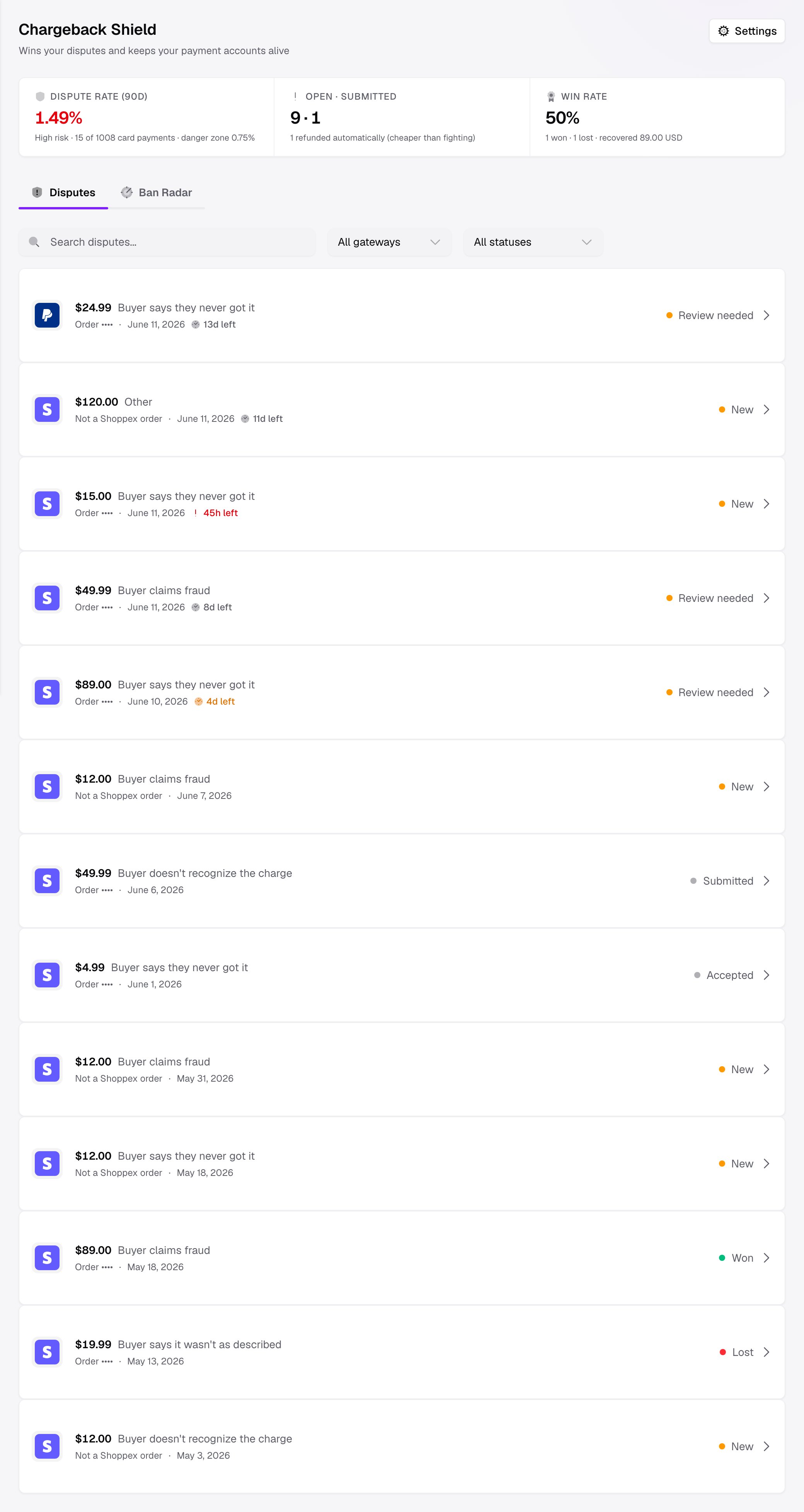
- Dispute rate (90d) — your rate over the last 90 days, colored Healthy, At risk, or High risk against the zone where processors start watching. This is the headline, because account survival, not recovery, is what costs sellers their business.
- Open · submitted — how many cases are still in flight versus already sent to the bank.
- Win rate — how many you have won and lost, and how much money has been recovered.
A single case
Opening a dispute shows everything Chargeback Shield knows about it. This includes the amount and reason, the evidence packet it assembled, the submission history, and the customer details captured at checkout.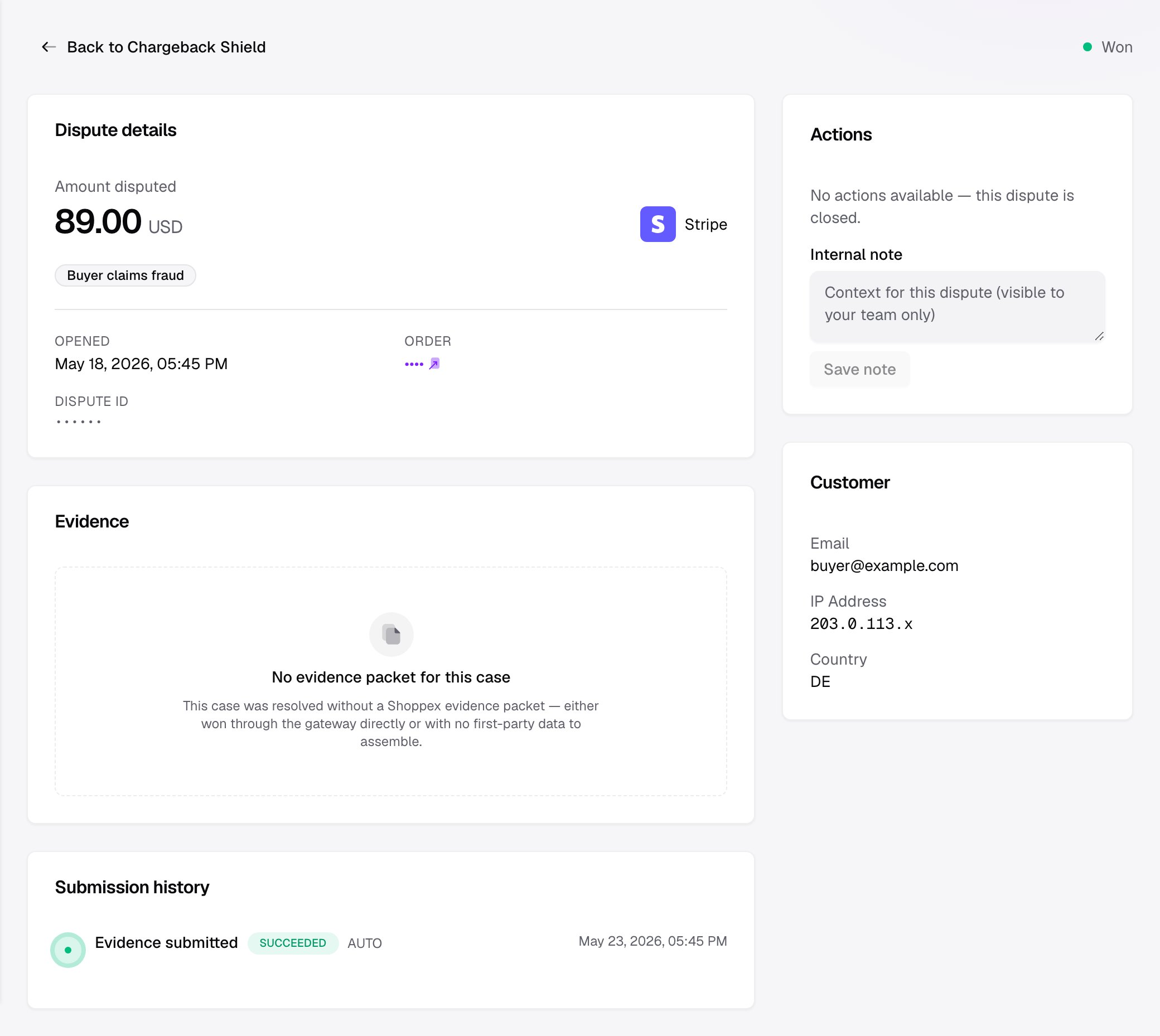
Settings — what to fight and what to let go
Open Settings from the Chargeback Shield header to decide how much Chargeback Shield does on its own.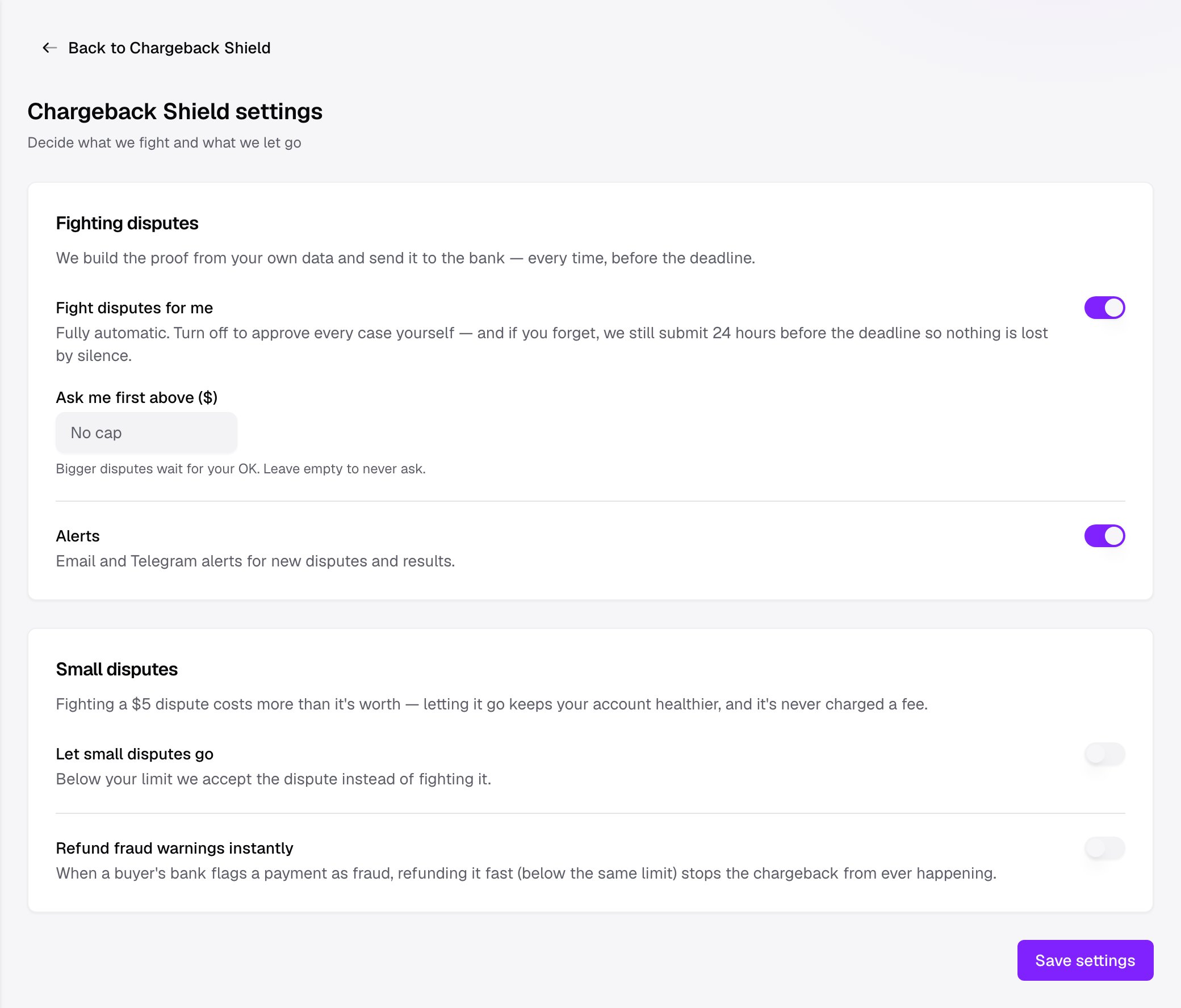
- Fight disputes for me — Fully automatic submission. Turn it off to approve every case yourself. If you forget to review a case, Chargeback Shield still submits it 24 hours before the deadline, so nothing is ever lost to silence.
- Ask me first above ($) — When automatic fighting is on, set a value here to hold the biggest disputes for your approval. Smaller disputes are handled for you, and anything above the amount waits for your approval. If you never want to be asked, leave the field empty.
- Let small disputes go — Fighting a $5 dispute costs more than it is worth, and accepting it keeps your account healthier. Below the limit you set, Chargeback Shield accepts the dispute instead of fighting it, and accepting a dispute is never charged a fee.
- Refund fraud warnings instantly — When a buyer’s bank flags a payment as fraud before a dispute is filed, refunding it quickly stops the chargeback from happening. The same small-dispute limit applies here.
- Alerts — Email and Telegram alerts for new disputes and their results, so you are never surprised by an outcome.
What it costs
Chargeback Shield is success-based. There is no monthly subscription and nothing to pay up front.- A fee applies only on disputes it wins for you. When the autopilot submits your evidence and the case is won, Chargeback Shield keeps 18% of the recovered amount (10% on Business).
- The fee goes on your monthly statement. It is billed alongside your other platform fees at the end of the month, never deducted from your wallet or held back from a payout.
- You are never charged for a loss, an accept, or a case you handled yourself. Lost disputes, small disputes you let go, and disputes you won directly in Stripe or PayPal carry no fee.
Because the fee only comes out of money Chargeback Shield recovers, turning it on cannot leave you worse off than ignoring a dispute.
Ban Radar — keeping your account alive
Winning disputes is only half the job. The other half is keeping your dispute rate out of the zone where Stripe and PayPal freeze your money and close your account. That is Ban Radar, the second tab inside Chargeback Shield (/security/ban-radar).
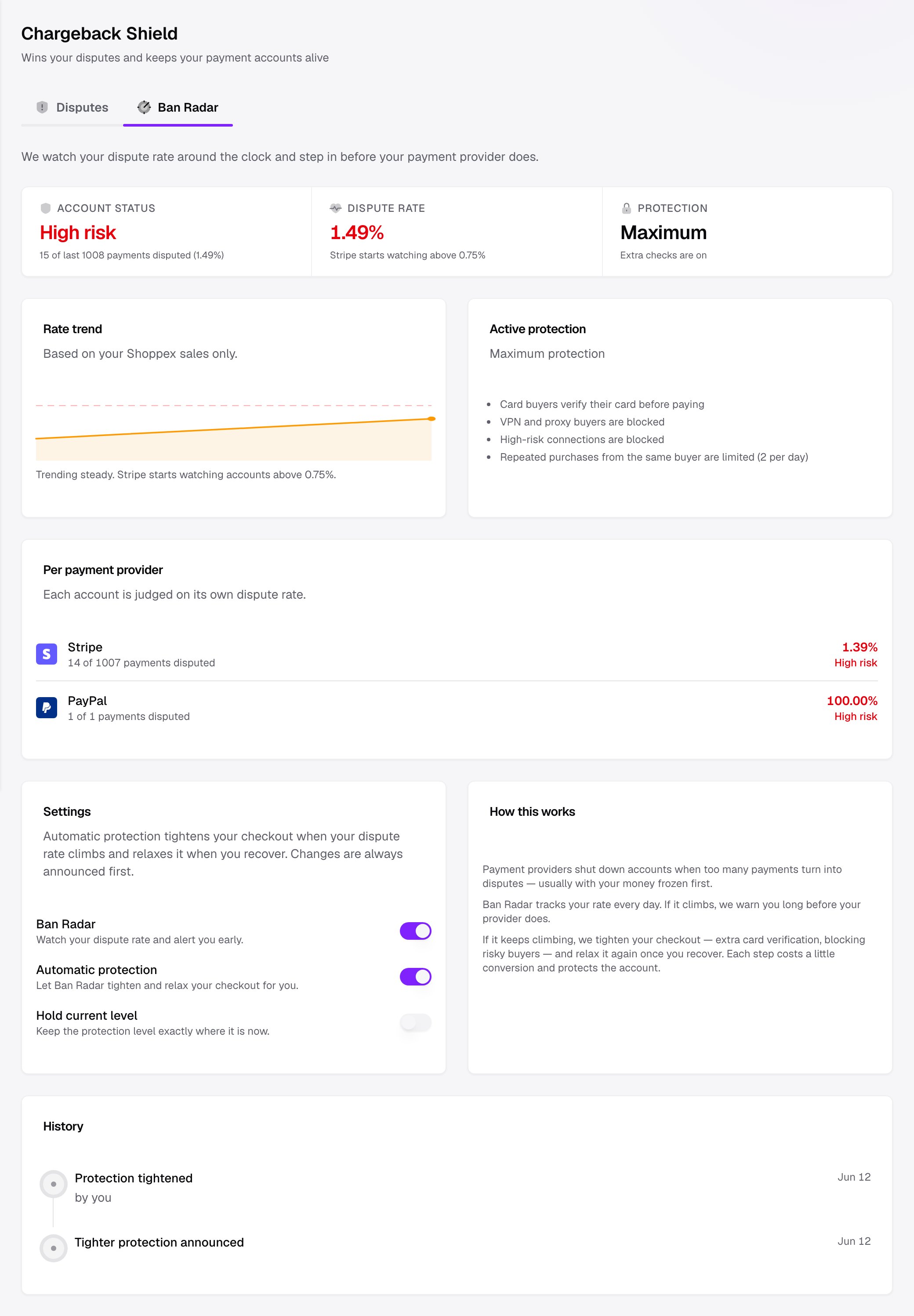
- Account status — Healthy, At risk, or High risk, with the number of disputed payments behind it.
- Dispute rate — your current rate, next to the point where Stripe starts watching accounts.
- Protection — whether extra checkout protection is currently Normal, Protected, or at Maximum.
Automatic protection
When your rate climbs, Ban Radar can tighten your checkout to bring it back down, then relax it again once you recover. The protection it applies is a runtime layer on top of checkout. It never changes your saved settings:- Card buyers verify their card before paying (3-D Secure)
- VPN and proxy buyers are blocked
- High-risk connections are blocked
- Repeated purchases from the same buyer are limited
You are always warned first. The very first time Ban Radar tightens your checkout, it announces the change ahead of time. You can apply it immediately, dismiss it, or hold your protection level exactly where it is. Each step costs a little conversion while it protects the account. The choice stays yours.
What Chargeback Shield is good for
Digital-goods sellers
Most disputes on digital goods are “I never got it” or “I do not recognize this charge.” Your download logs and license activations answer both, automatically.
Sellers who want disputes handled automatically
Turn on automatic fighting and Chargeback Shield handles the whole lifecycle: assemble, submit, follow up, and let small ones go.
Anyone on Stripe or PayPal
Ban Radar keeps your dispute rate out of the account-closing zone, so one bad week does not cost you your payment provider.
Stores that want their money back
Evidence built from your own data wins cases generic tools cannot, and you only pay when it works.