

Cards only. Shoppex Payments does not replace your other gateways. Crypto, PayPal, Cash App and manual methods keep working exactly as before. This adds a card option next to them.
What it costs
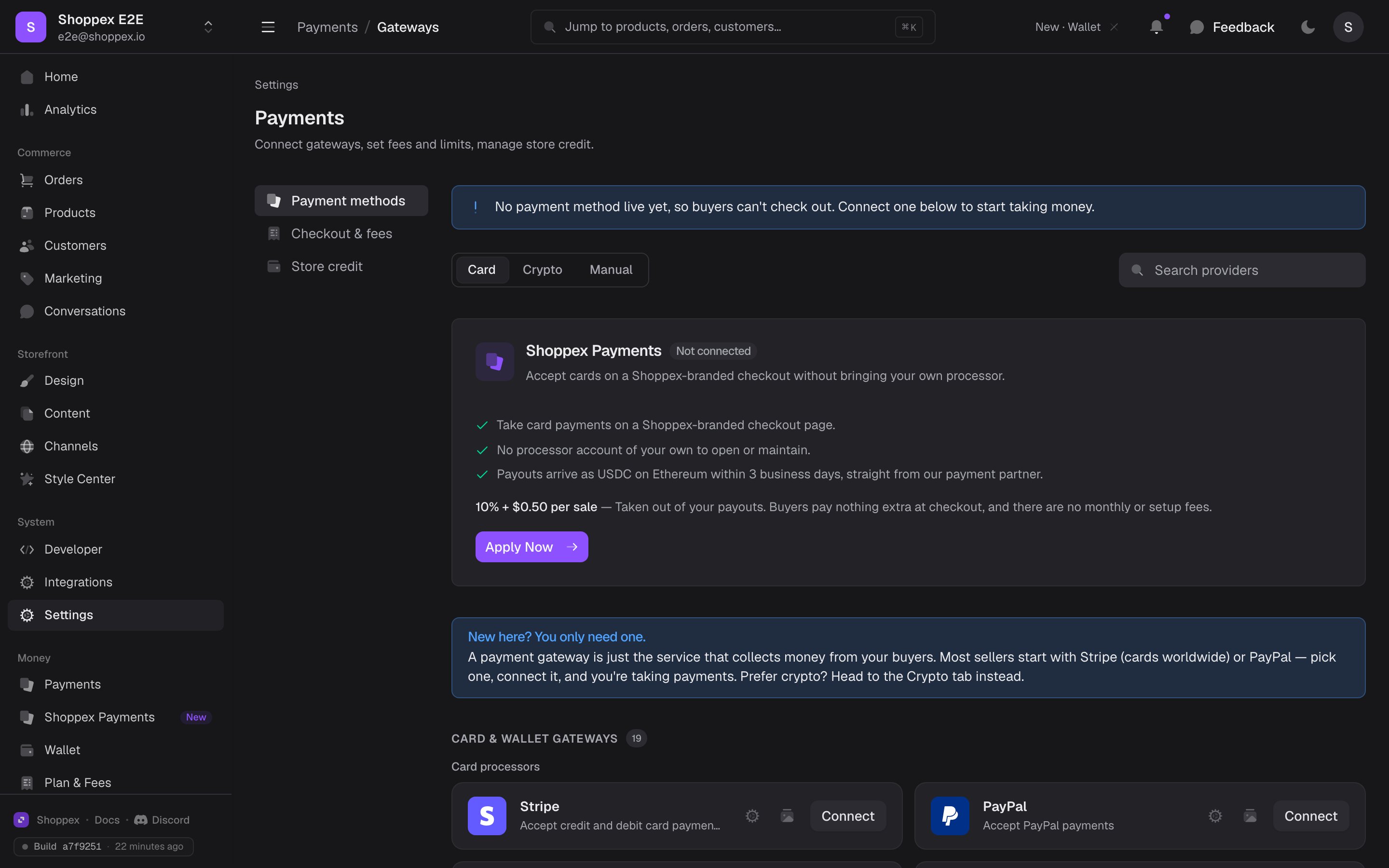
The fee comes out of your payouts, not out of the buyer’s total. A 25 at checkout. You receive 25 minus 10% minus $0.50.
This is a higher rate than a mainstream processor charges a low-risk store. That is deliberate: it is priced for the risk profile that gets digital-goods stores declined elsewhere. If you can get and keep a Stripe account, Stripe will usually be cheaper. If you want, run both. Buyers see whatever you enable.
Applying
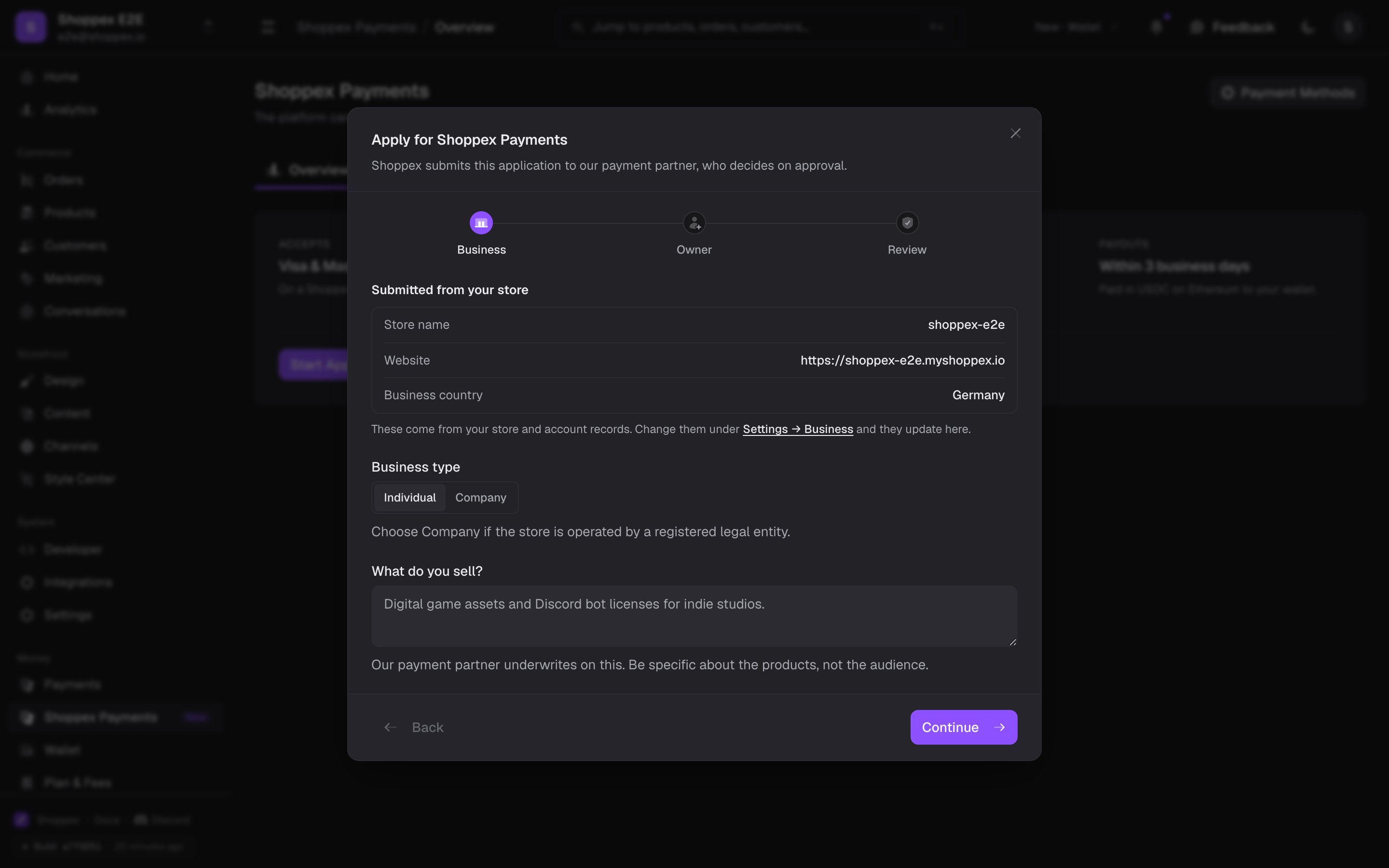
1
Open Shoppex Payments
It is in the sidebar under Money, and as a card in Settings → Payments.
2
Check your details
The form arrives pre-filled from your shop profile — store name, website, business country, company name. Correct anything that is out of date. This is what gets reviewed.
3
Confirm what you sell
Describe your products in a sentence, then confirm your store sells none of the prohibited categories below.
4
Submit
You will see the decision on the same page. Most applications are decided immediately.
What you cannot sell
Shoppex Payments cannot be used for:- Carding tools, hacking tools, and exploit kits
- Stolen accounts, credentials, and account dumps
- IPTV and other unauthorized streaming services
- Gambling, betting, and casino services
- Adult content and services
- Weapons, ammunition, and explosives
- Drugs, controlled substances, and related paraphernalia
After approval
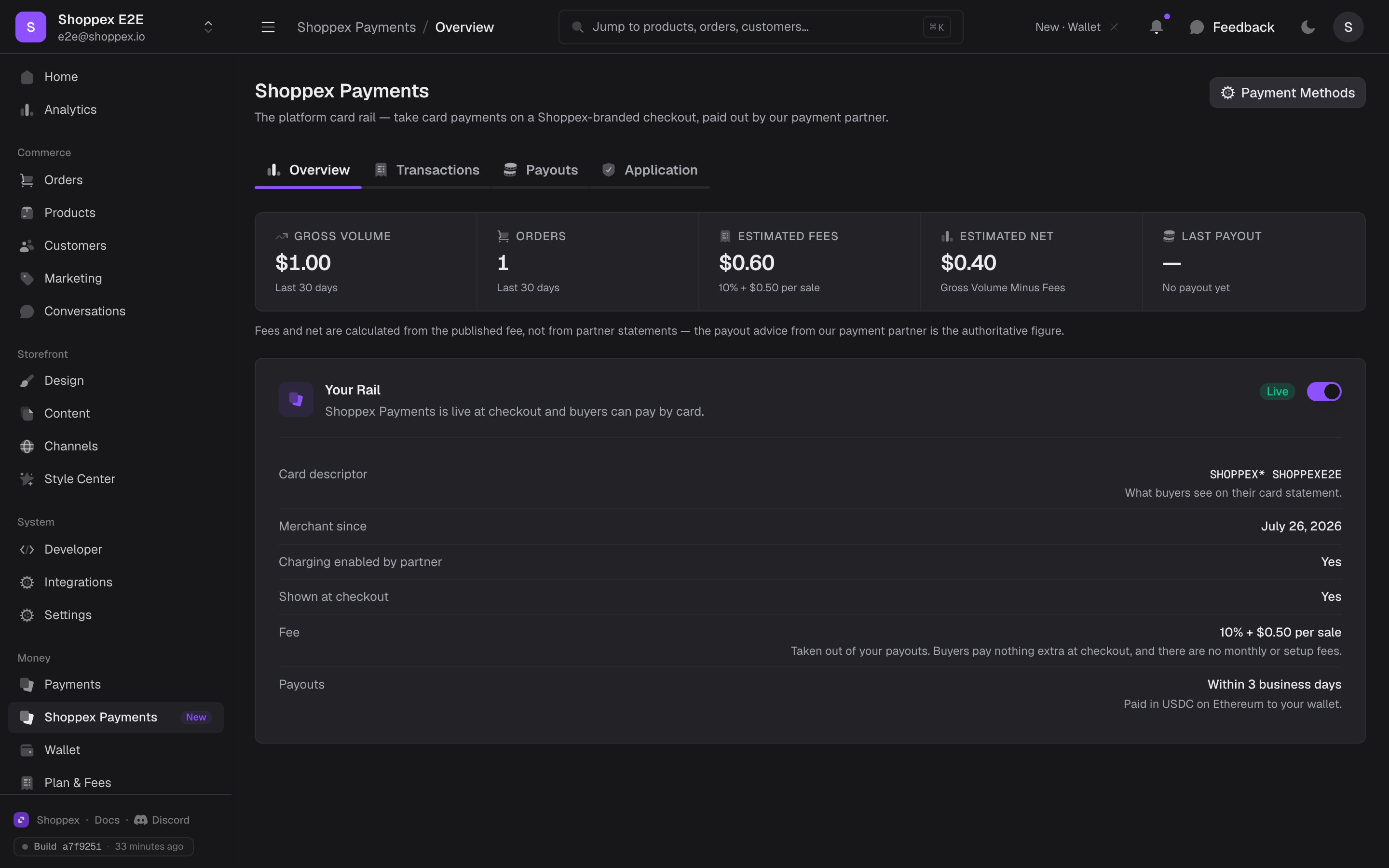
- Cards appear at checkout. You can switch them off any time with the toggle on the page. The approval stays, so you can switch back on later without reapplying.
- Your statement descriptor is set. Buyers see
SHOPPEX*followed by your store name on their card statement, so the charge is recognizable. You get fewer disputes from buyers who do not recognize it.
Checkout
Card payments open a secure checkout page onpay.shoppex.io — your logo, your brand color, your store name. The buyer enters card details there and comes straight back to your store.
The card form must live on the processor’s page, not inside your storefront. That separation keeps card numbers out of Shoppex’s systems and out of yours. It is also why you do not need PCI certification to accept cards this way.
Payouts
Buyers pay by card as normal. The conversion happens on the processor’s side. A sale becomes payable 5 days after it settles. Everything that has matured goes out together on the next scheduled payout day. You get one transfer covering several sales, rather than one per order. The minimum payout is $10. A balance below that rolls into the next cycle instead of being sent. A small transfer on the Ethereum network costs more in network fees than it is worth. The processor covers those fees. They are never deducted from your payout.Setting your payout wallet
Once your application is approved, a Payout wallet section appears on the Shoppex Payments page. Enter the Ethereum address that receives your USDC, and confirm it. A newly saved address is held by the processor before it is paid to. It shows as awaiting partner approval at first, and payouts wait during that window. The same applies if you change the address later: it goes back to awaiting approval and that cycle’s payout is held. That is deliberate. It is what stops anyone quietly redirecting your money. How long the hold takes is the processor’s call, not ours. If an address stays on hold for more than a few days, contact us and we will chase it. You will find every payout, with its status and settlement period, on the Shoppex Payments page. The address itself lives with the processor. Shoppex passes it on and never uses it to move money.Payouts here are separate from your other gateways. Stripe pays out through Stripe, PayPal through PayPal, and Shoppex Payments on its own schedule. There is no shared Shoppex balance. See Payouts.
Refunds and disputes
Refunds are issued from the order like any other payment, and cost nothing. The 10% + $0.50 on the original sale is not returned to you. That is the processing cost of the sale that happened. Disputes, also called chargebacks, cost $20 each. The fee applies when a customer disputes a charge through their bank or payment provider. It lands when the dispute opens, not when it is decided. If the dispute is then resolved against you, the disputed amount goes back to the buyer on top of that fee. This is how chargebacks work on every card network. Keeping disputes low matters more here than the fee: card networks monitor dispute rates per merchant, and a rate that stays high can cost you the account. The usual defenses work: recognizable descriptors, instant delivery, a working support address, and clear product descriptions. See Handling disputes.The fine print
Shoppex Payments works through a Merchant of Record partner. For card payments only, that partner is the legal seller of the order: they process the payment, and the checkout page names them as the reseller and Merchant of Record for the transaction. What that means for you in practice:- Shoppex never holds your money. Payouts go from the processor to you directly. Shoppex is paid by the processor, not out of your balance.
- You still run your store. Products, pricing, customers, delivery and support stay yours.
- The buyer’s contract for that order is with the Merchant of Record. They handle payment-related inquiries and act as the seller of record for card orders.
Shoppex Payments is optional. Every other gateway, including your own Stripe account if you have one, keeps working unchanged, and you can turn cards off without losing your approval.